Built for K-12 school districts

Real-Time Alerts to Every Device on Campus

Push full-screen lockdown, evacuation, and shelter alerts to Chromebooks, laptops, desktops, and mobile devices in seconds. Deploy in minutes, not months.

Chromebook
Windows
Linux
Android
SMARTboard
Promethean
Dakboard
Browser
Raspberry Pi

Trusted by K-12 schools and districts

10+
Platforms Supported
< 1s
Alert Delivery
10,000
Devices per District
99.9%
Uptime
The platform
Everything You Need for Campus Safety

One platform to send alerts, monitor every device, and prove compliance. Select a capability to see it in action.

LOCKDOWN
Secure Your Classroom

Lock all doors, move away from windows, and remain silent until an all-clear is announced.

AlertIO real-time dashboard
AlertIO Campus Fencing
Main Campus
203.0.113.4
North Campus
198.51.100.7
West Campus
192.0.2.10
Home Network
Off-campus · no alerts
Chromebook
SMARTboard
Office PC
Wall Display
Tablet
Projector
Staff Laptop
Staff Tablet
Alert to campus Campus to devices Home network · no alerts
AlertIO comprehensive alert logs
Access Control
Phone System
Fire Alarm
Panic Button
Safety Platforms
Manual
AlertIO
Windows
Linux
Chromebook
Android / iOS
macOS
Tablets
Digital Signage
Interactive Displays

Full-Screen Alerts

  • Color-coded by alert type
  • Full-screen takeover
  • Custom messaging
  • All Clear dismisses the alert

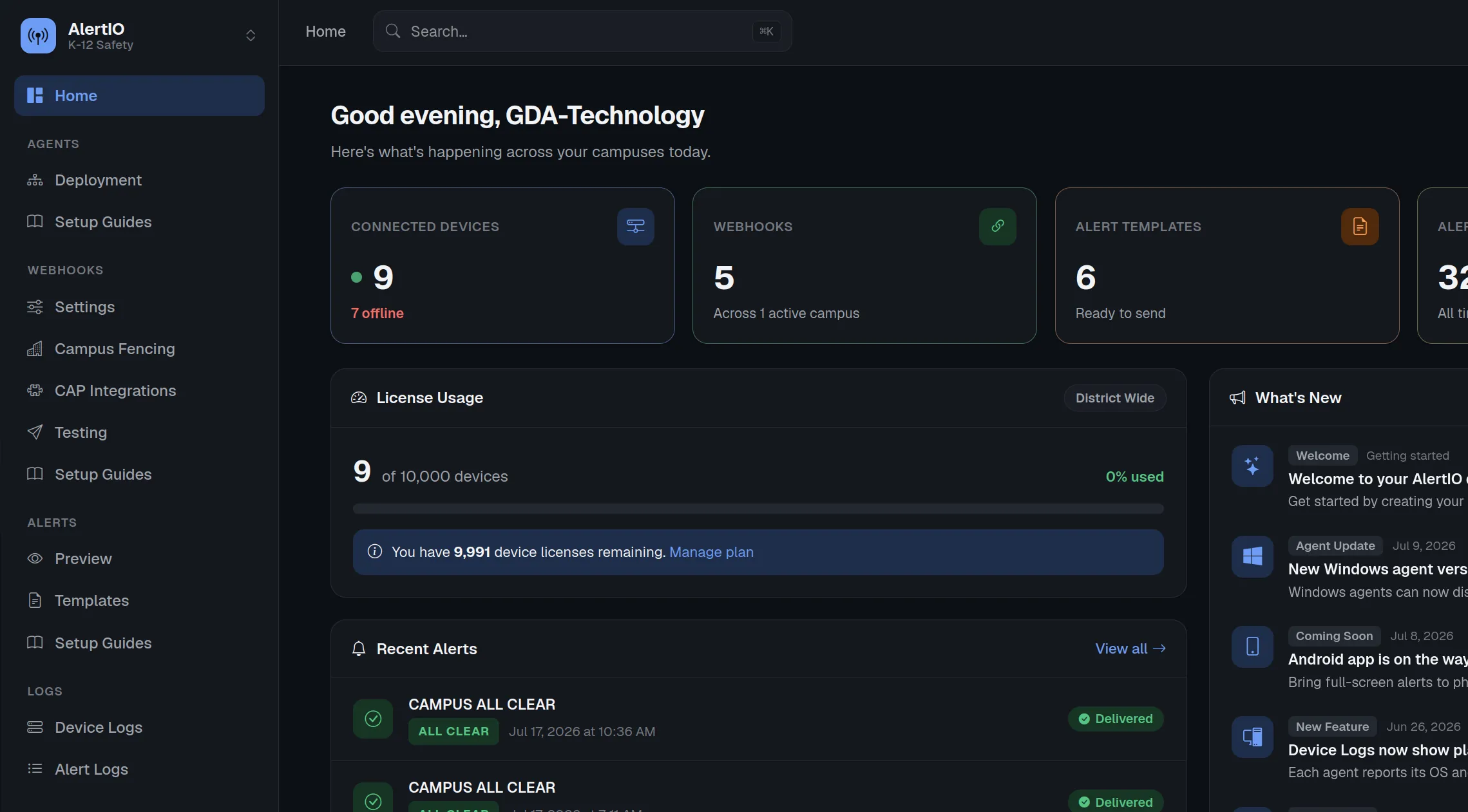
Real-Time Dashboard

  • Live device connectivity tracking
  • Alert history and audit logs
  • One-click hook testing
  • Subscription and billing management

Campus Fencing

  • Set up multiple campuses in one dashboard
  • Add each campus's public IP addresses
  • Restrict alert delivery to specific campuses
  • On-site-only mode blocks off-site devices

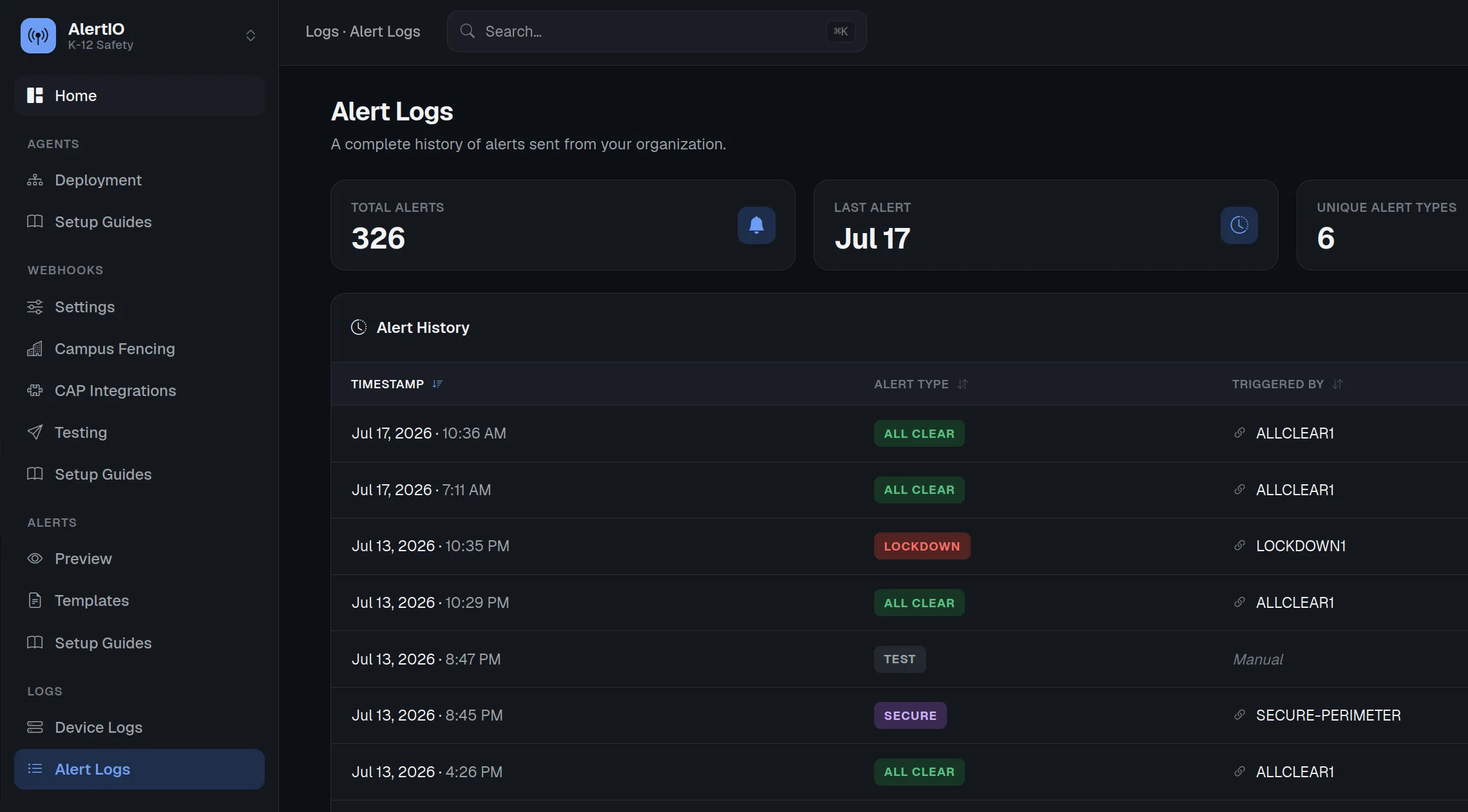
Comprehensive Alert Logs

  • Full alert history with timestamps
  • Webhook source tracking
  • Export-ready for compliance reporting
  • Alert delivery receipts

Webhook Integration

  • Trigger from any system
  • Trigger manually
  • Authenticated webhook URL
  • Campus Fencing per-webhook
How it works
Live in Five Simple Steps

From a blank slate to full-screen alerts on every device — no professional services, no long rollout.

1

Create an Alert Template

Set the alert type, title, message, and color that fills every screen.

2

Link a Webhook

Connect the template to a webhook that fires the alert.

3

Deploy the Agent

Push the < 5 MB agent to devices via GPO, RMM, MDM, or manual install.

4

Send a Test

Fire a test and confirm every device shows it full-screen.

5

Integrate & Trigger

Wire the webhook into any system, or trigger it from any device online.

Universal coverage
Works on Every Device Your School Uses

Native agents and CMS integrations across the platforms already in your classrooms and hallways.

Windows
Native agent
macOS
Native agent
Linux
Native agent
Chromebook
Google Workspace
Android
Native app
iOS
Native app
Rise Vision
CMS integration
ScreenCloud
CMS integration
OptiSigns
CMS integration
Amazon Signage Stick
Signage device
Tablets
Native app
SMARTboard
Interactive display
Promethean
Interactive display
ViewSonic
Interactive display
Interactive Displays
Interactive display
Windows
Native agent
macOS
Native agent
Linux
Native agent
Chromebook
Google Workspace
Android
Native app
iOS
Native app
Rise Vision
CMS integration
ScreenCloud
CMS integration
OptiSigns
CMS integration
Amazon Signage Stick
Signage device
Tablets
Native app
SMARTboard
Interactive display
Promethean
Interactive display
ViewSonic
Interactive display
Interactive Displays
Interactive display
Interactive Displays
Interactive display
ViewSonic
Interactive display
Promethean
Interactive display
SMARTboard
Interactive display
Tablets
Native app
Amazon Signage Stick
Signage device
OptiSigns
CMS integration
ScreenCloud
CMS integration
Rise Vision
CMS integration
iOS
Native app
Android
Native app
Chromebook
Google Workspace
Linux
Native agent
macOS
Native agent
Windows
Native agent
Interactive Displays
Interactive display
ViewSonic
Interactive display
Promethean
Interactive display
SMARTboard
Interactive display
Tablets
Native app
Amazon Signage Stick
Signage device
OptiSigns
CMS integration
ScreenCloud
CMS integration
Rise Vision
CMS integration
iOS
Native app
Android
Native app
Chromebook
Google Workspace
Linux
Native agent
macOS
Native agent
Windows
Native agent
Why Schools Choose AlertIO

When a lockdown, evacuation, or shelter-in-place is triggered, every second matters.

Seconds, Not Minutes

Alerts reach every screen in under a second — no waiting on an intercom loop or an unread email.

Impossible to Miss

Full-screen takeovers demand attention, so staff and students act the instant an alert fires.

Built for K-12 Scale

One platform covers your whole fleet — thousands of devices across every building on campus.

Traditional intercoms get missed and emails go unread. AlertIO replaces outdated methods with instant, full-screen digital alerts on every screen across campus — deployed in minutes with native agents for every major platform and Google Workspace integration for zero-touch Chromebook rollout.

Ready to Protect Your Campus?

See how AlertIO can keep your students and staff safe with real-time emergency alerts.

Start Free Trial